This website
A couple of years ago, I was introduced to Static Site Generators by my friend Lark.
The idea is simple: generate the complete website ahead of time and host it as a simple collection of files, instead of using a server to dynamically build the pages and a database to keep track of posts.
I fell in love with the concept. Not only was it perfect to build a simple blog, it also bore a certain minimalist charm that resonated with me right away.
As per Lark's recommendation, I picked Zola as my Static Site Generator and embarked on a short, sweet journey to build this website.
Building the site
The installation was as simple as the documentation advised. I liked how straightforward a minimal setup was. Complexity only scaled as needed, compared to all the boilerplate of other site builder services.
Zola relies on the Tera template engine. I'm not the biggest fan of its syntax, but most of the development revolved around HTML, CSS, and Markdown for the actual articles, so it wasn't too bad.
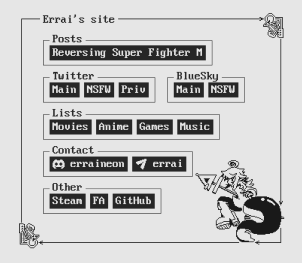
Previous layout
Declarative approach
I made it a point to not type a single line of JavaScript while building the site, partly to focus on improving my CSS skills, to keep the design minimal, and because I don't really like JS.
My efforts were successful! The entire website is built entirely in HTML and CSS.
Semantic elements
I also wanted the style to be completely decoupled from the page, letting it be browsable even without CSS.
I relied on semantic elements, so the site looks good and accessible even if you open Dev Tools and remove the link to the stylesheet.
Stylistic choices
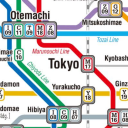
For this iteration of the site, I wished to recreate the sleek and bright look of the Tokyo metro maps. Unfortunately the actual CSS is a lot less minimal than the subject it mimics.
- I picked Futura as the homepage's typeface, and vivid colors for the "metro lines" that act as nav bars.
- These metro lines rely on CSS grid layouts (with sub-grids for the forks in the lines), which allowed me to keep the site mobile-friendly and responsive to dimension changes.
- I opted to avoid any preprocessors. CSS has made it pretty far, making SASS a lot less necessary.
- The social media icons were SVGs turned into a glyph font using sites like Glyphter or IcoMoon. This is the same concept behind icon libraries like Font Awesome.
Hosting and deploying the site
Since Zola's output is just a bunch of files, there were plenty of options on how to host them.
I chose Azure's Static Web Apps since the free tier was perfect for what I needed, and because they easily integrate with GitHub actions, offering a template with a CI/CD workflow.
All I had to do was modify the pipeline to also build the site with Zola, for which I used the kytta/zola-build-pages@v1 action. This way, my site is automatically deployed after every push to the main branch in the GitHub repository.
DNS and cache
I opted to use Cloudflare's free tier to manage my domain's DNS records and to cache files, reducing bandwidth usage against the static web app in Azure.
Using the site
Perhaps the hardest part of this adventure is to find topics interesting enough to talk about, and allocating the time to do so.
I've been getting better at it; and as my game project advances, I wish to share more development logs and tips, which I hope will be useful to some.
Conclusion
Aside from the yearly fee to keep the domain, the cost to run this website is $0. If this inspires you to try building your own, feel free to clone my site's repository from GitHub and use it as reference. It's all open-source!